
Online Campus
Your whole school online, in one campus
Courses, assignments, quizzes, grades and live classes in one place, with your logo and your domain. We recommend a campus built on Moodle, the open-source platform schools and universities use around the world, set up for you.
A campus is more than a place to upload files. Teachers need a simple way to build courses, set work and give grades. Students need one place to see what's due and join their live classes. Coordinators need reports without chasing anyone. Online Campus brings all of that together in one platform, on your own domain.
Set-up, training and support included in your plan.
Our pick is Moodle 4.5 LTS, the long-term support version of Moodle, with the video classroom built into every course (BigBlueButton or plugNmeet). MynaParrot provides the technology and can help with hosting, integration and support. We set up the campus and move your courses and users, with teacher training and support included in your plan. If you need something simpler, Chamilo is our alternative.
What's in the campus
Our pick: Moodle 4.5 LTS · Alternative: Chamilo 1.11
- Courses with lessons, forums, assignments and quizzes.
- A gradebook that brings marks together.
- Live classes inside each course, with recordings.
- Interactive content your teachers can build themselves.
- Reports you can schedule by email.
- Login with Google or Microsoft accounts, or your school's identity system.
- Your logo, colours and domain, and the Moodle app on phones.
Moodle or Chamilo: which one to pick
| Topic | Moodle | Chamilo |
|---|---|---|
| In one line | The most flexible, with the largest ecosystem | The simplest to start with |
| Best fit | Schools, universities and training providers with varied needs | Smaller institutions that want to start quickly |
| Live classes | BigBlueButton activity; plugNmeet plugin | BigBlueButton; plugNmeet |
| Live try on this store | Coming soon | |
Moodle
- In one line
- The most flexible, with the largest ecosystem
- Best fit
- Schools, universities and training providers with varied needs
- Live classes
- BigBlueButton activity; plugNmeet plugin
- Live try on this store
- Coming soon
Chamilo
- In one line
- The simplest to start with
- Best fit
- Smaller institutions that want to start quickly
- Live classes
- BigBlueButton; plugNmeet
- Live try on this store
- Coming soon
Self-hosting the open-source stack
Most tools we mention are open source — BigBlueButton, plugNmeet, Moodle and others — so you can run them on infrastructure you control. Self-hosting is a broad topic; at a high level it usually involves:
- A server (or cluster) sized for your expected live sessions and recordings
- A domain name and TLS certificates so users connect over HTTPS
- Installing each component from the project's official documentation, then keeping versions updated
- Backups of configuration, course data and recordings, and basic monitoring so you know when something fails
Official documentation
Need help? Contact us
A Moodle campus, step by step
- Screen 1
Your campus, your brand
Students and teachers log in on your own domain, with your logo and colours.

- Screen 2
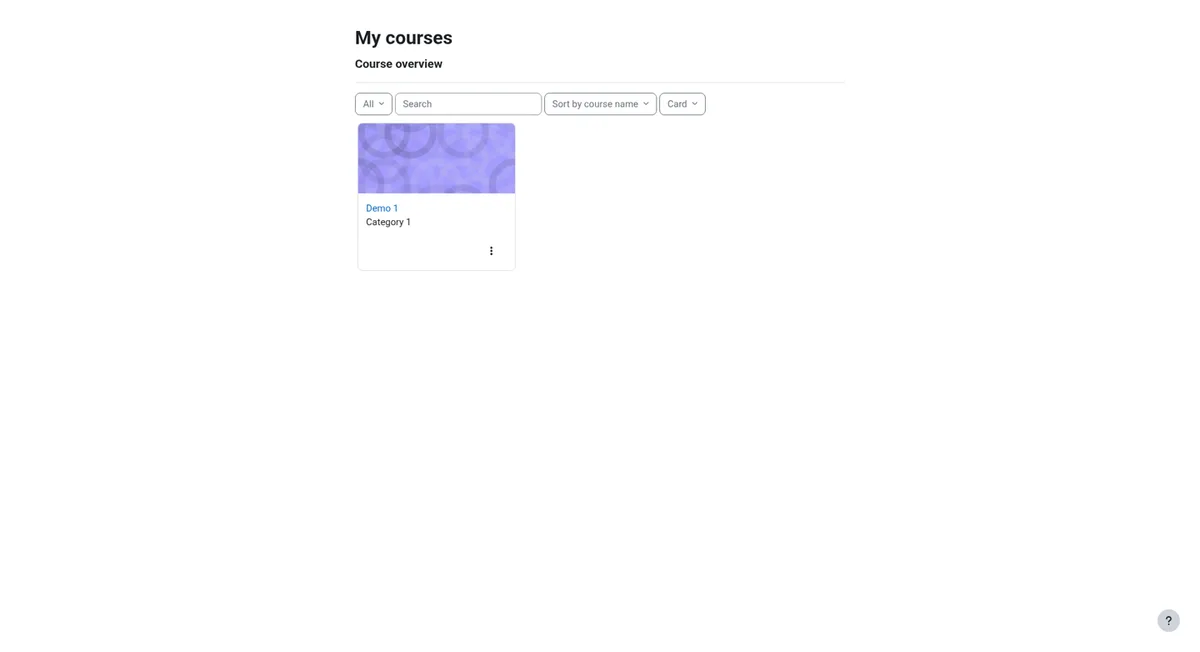
The student's dashboard
Each student sees their courses and what's due next, in one place.
- Screen 3
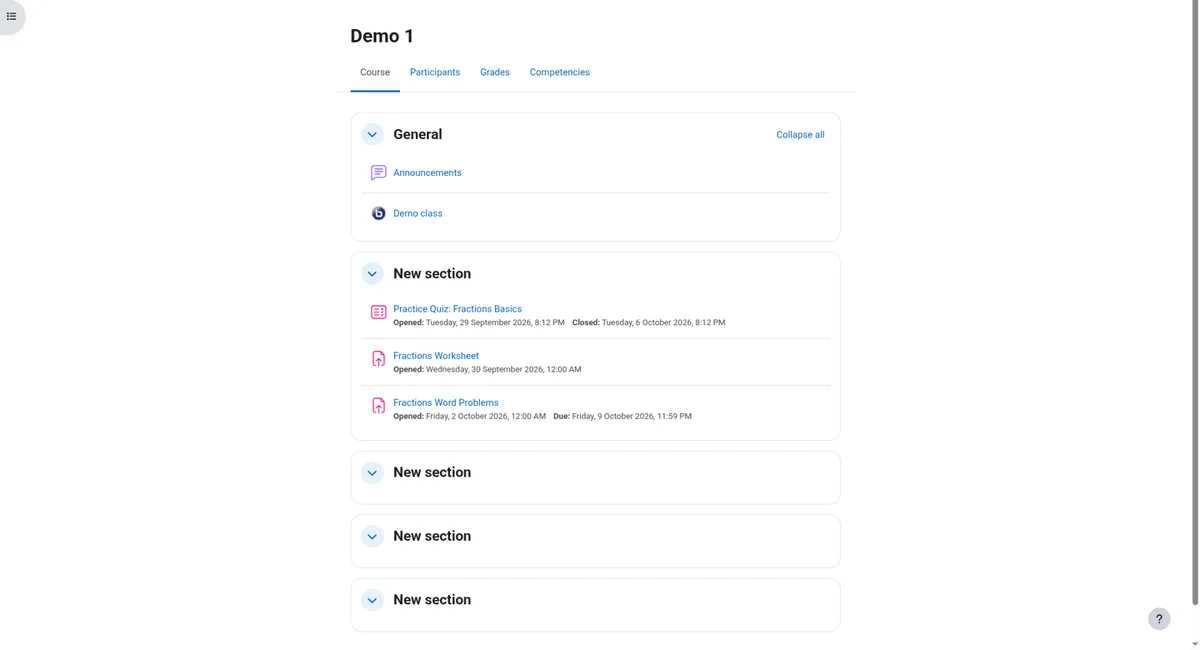
Inside a course
Lessons, a forum, an assignment, a quiz and the live class, all on the same course page.
- Screen 4
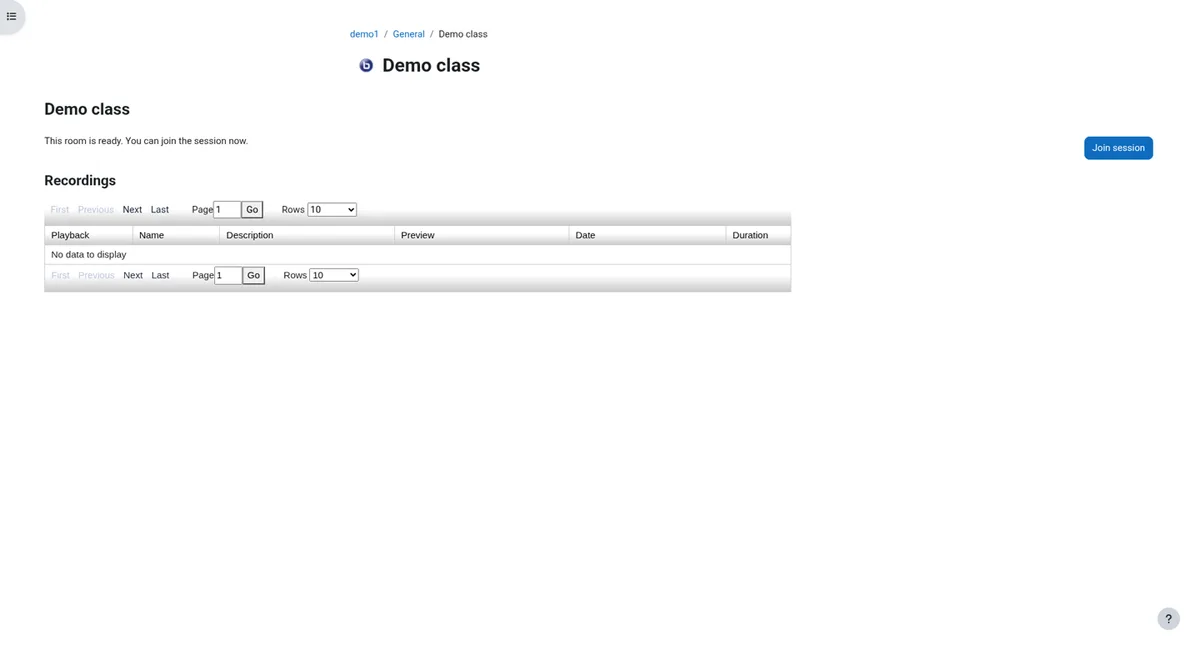
Join the live class from the course
One click opens the video classroom, with the teacher's slides and whiteboard.
- Screen 5
Hand in an assignment
Students upload their work and see that it has been submitted.

- Screen 6
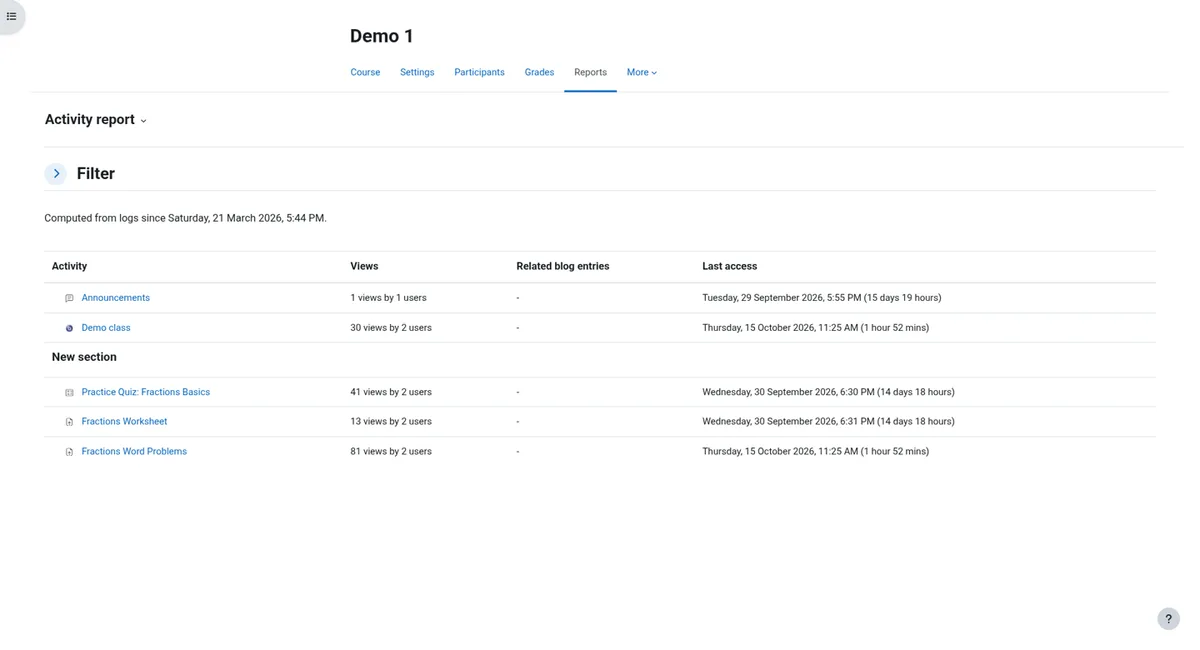
Admins see activity reports
For example, views and last access for each activity in a course, in one report.
Request a demo
Frequently asked questions
Why Moodle?
It's the most complete open-source platform for schools and universities: courses, grades, live classes, reports and a phone app, with a large choice of plugins. It's our pick for most campuses.
When is Chamilo the better choice?
When you want something simpler for teachers and mostly need courses, learning paths and tests. We can show you both in the demo.
Can we see it before we decide?
Yes. Follow the walkthrough on this page, then request a demo. We show it to you in an online meeting.
What do we need to tell you for the demo?
Your organisation and country, what you need, roughly how many users, when, and your requirements in a few lines. The form asks for exactly that, and you can add anything else.
Can we keep our courses?
Usually, yes. Courses move by backup or standard export. Some things, like grade history or some activity types, may need checking or rebuilding. We tell you what moves before you decide.
Who hosts our campus?
MynaParrot provides the technology and can help with hosting, integration and support. Set-up, training and support are included in your plan.
Will it cope at exam time?
We size the hosting for your busiest moments and prepare large exams in advance.
Can students log in with their school account?
Yes, with Google or Microsoft accounts, or your school's identity system, set up by our team.
Are live classes included?
Yes. The video classroom is inside every course: BigBlueButton, or plugNmeet, provided by MynaParrot, the technology provider.
Which Moodle version do you use?
Moodle 4.5 LTS, the long-term support version. It gets security updates until October 2027, and our team plans the next upgrade with you.
We use another platform. Can you work with it?
Our pick is Moodle, with Chamilo as the alternative. Canvas LMS is available on request: mention it in the demo form and we'll show it to you in an online meeting. If you need to keep another platform, the video classroom can be added to many of them through LTI. We check yours.
What does it cost?
It depends on your users, hosting and the services you need. You get one written proposal covering the technology, set-up and support.
What's included?
You get one written proposal that covers the technology, hosting, set-up and support, so you know exactly what's included before you start.
Why teams choose this
Ready to get started?
Tell us what you need. We set it up for you, with training and support included in your plan.
Contact us →Set-up, training and support included in your plan.